📱 What You'll Need
-
An Amazon Alexa-enabled device (e.g., Echo Dot, Echo Show)
- The Alexa mobile app installed on your smartphone or tablet
- Access to the Amazon account currently linked to Lightwave
🔧 Step-by-Step Guide
1. Open the Alexa App
Launch the Amazon Alexa app on your smartphone or tablet.
-png.png?width=254&height=550&name=Untitled%20design%20(73)-png.png)
2. Tap ‘More’
On the bottom navigation bar, tap More to open the menu.
-png.png?width=254&height=550&name=Untitled%20design%20(72)-png.png)
3. Select ‘Skills & Games’
Choose Skills & Games from the list of options.
-png.png?width=254&height=550&name=Untitled%20design%20(74)-png.png)
4. Find “LightwaveRF”
Use the search bar to locate LightwaveRF.
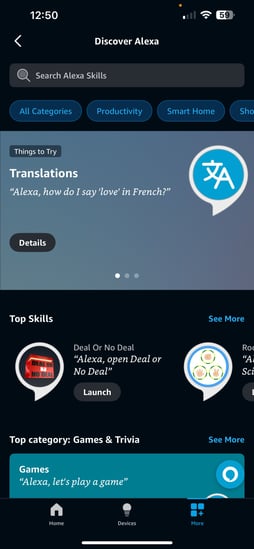
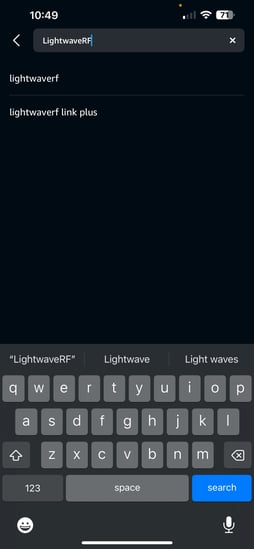
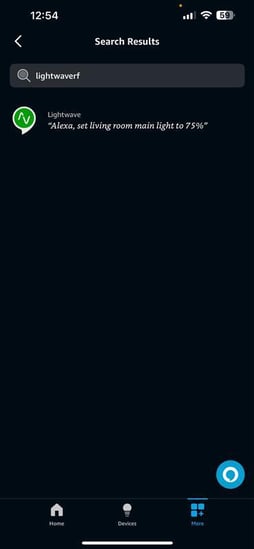
5. Select the Lightwave Skill
Tap on the LightwaveRF skill to open its settings.
6. Disable the Skill
Tap Disable Skill.
-png.png?width=254&height=551&name=Untitled%20design%20(75)-png.png)
7. Confirm Removal
Confirm that you want to disable the skill when prompted. This will unlink your Lightwave account from Alexa and remove access to your devices.
-png.png?width=254&height=551&name=Untitled%20design%20(76)-png.png)
🔄 What Happens Next?
- Alexa will no longer be able to control your Lightwave devices
- Any routines or voice commands involving Lightwave will stop working
- Your devices will be removed from the Alexa app
🗣 Reconnecting in the Future
If you decide to reconnect, simply re-enable the Lightwave skill and sign back into your account you can find out more about this here
❓ Need Help?
If you experience any issues unlinking your account or notice devices still appearing in Alexa, try:
- Restarting the Alexa app
- Asking, “Alexa, forget all devices”
- Reinstalling and disabling the skill again
If problems persist, please contact Lightwave support for further assistance:
support@lightwave.hs-inbox.com
0121 468 8987 option 2