---
title: Setup an Event
description: Events (previously called Sequences) are a quick way to do something with multiple steps in your LightwaveRF home at any time you want. A great example is ‘Make cup of Tea’. This is something that wou
---
[Skip to content](https://support.lightwaverf.com/knowledge-base/setup-an-event#main-content)
Open main navigation
Close main navigation
How can we help you?
- There are no suggestions because the search field is empty.
1. [Help Center](https://support.lightwaverf.com/knowledge-base?hsLang=en)
2. [Connect Series Support Archive](https://support.lightwaverf.com/knowledge-base/connect-series-support-archive?hsLang=en)
- [Getting Started - What you need to know](https://support.lightwaverf.com/knowledge-base/getting-started-what-you-need-to-know?hsLang=en#main-content)
- [Getting started on the Lightwave App](https://support.lightwaverf.com/knowledge-base/getting-started-what-you-need-to-know?hsLang=en#getting-started-on-the-lightwave-app)
- [Lighting](https://support.lightwaverf.com/knowledge-base/getting-started-what-you-need-to-know?hsLang=en#lighting)
- [Heating](https://support.lightwaverf.com/knowledge-base/getting-started-what-you-need-to-know?hsLang=en#heating)
- [Third Party Integrations](https://support.lightwaverf.com/knowledge-base/getting-started-what-you-need-to-know?hsLang=en#third-party-integrations)
- [General](https://support.lightwaverf.com/knowledge-base/getting-started-what-you-need-to-know?hsLang=en#general)
- [App Guidance & Automations](https://support.lightwaverf.com/knowledge-base/app-guidance-automations?hsLang=en#main-content)
- [My Account](https://support.lightwaverf.com/knowledge-base/app-guidance-automations?hsLang=en#my-account)
- [App Guidance](https://support.lightwaverf.com/knowledge-base/app-guidance-automations?hsLang=en#app-guidance)
- [Automations](https://support.lightwaverf.com/knowledge-base/app-guidance-automations?hsLang=en#automations)
- [Troubleshooting](https://support.lightwaverf.com/knowledge-base/troubleshooting?hsLang=en#main-content)
- [General](https://support.lightwaverf.com/knowledge-base/troubleshooting?hsLang=en#general)
- [Lighting](https://support.lightwaverf.com/knowledge-base/troubleshooting?hsLang=en#lighting)
- [Heating](https://support.lightwaverf.com/knowledge-base/troubleshooting?hsLang=en#heating)
- [Power](https://support.lightwaverf.com/knowledge-base/troubleshooting?hsLang=en#power)
- [Automations & Hub](https://support.lightwaverf.com/knowledge-base/troubleshooting?hsLang=en#automations-hub)
- [Installation Guides](https://support.lightwaverf.com/knowledge-base/installation-guides?hsLang=en)
- [Connect Series Support Archive](https://support.lightwaverf.com/knowledge-base/connect-series-support-archive?hsLang=en)
- [Contact Us](https://support.lightwaverf.com/knowledge-base/contact-us?hsLang=en#main-content)
- [Product Returns](https://support.lightwaverf.com/knowledge-base/contact-us?hsLang=en#product-returns)
- [Contact Us](https://support.lightwaverf.com/knowledge-base/contact-us?hsLang=en#contact-us)
# Setup an Event
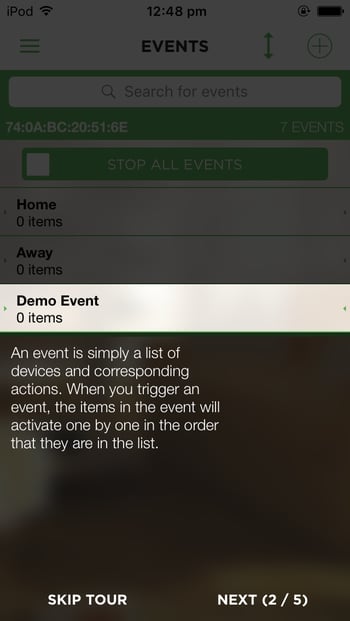
Events (previously called Sequences) are a quick way to do something with multiple steps in your LightwaveRF home at any time you want.
A great example is ‘Make cup of Tea’. This is something that would have the same steps every time that you can automate instead and fire on demand.
In these instructions we will use 'Going to Bed' as an example but you can add any devices or actions you like:
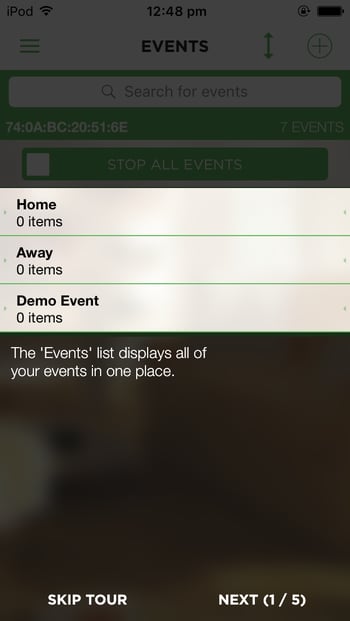
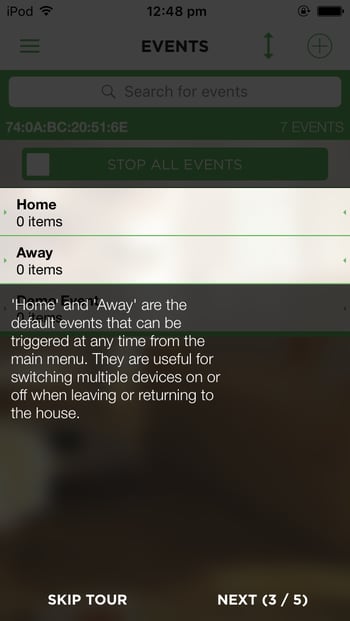
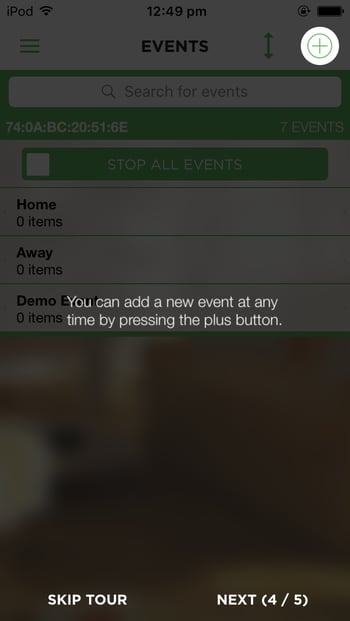
Tap the Events tab on the side control panel, Press the plus on top right hand corner.
**Name the event something meaningful and tap Continue.**
**Choose the status you want the devices to go to at the right hand side - on, off, dim %, open, stop, close.**
****
[](http://lightwaverf.com)
[mailto:email@email.com](mailto:email@email.com)
Copyright © 2025, Lightwave